
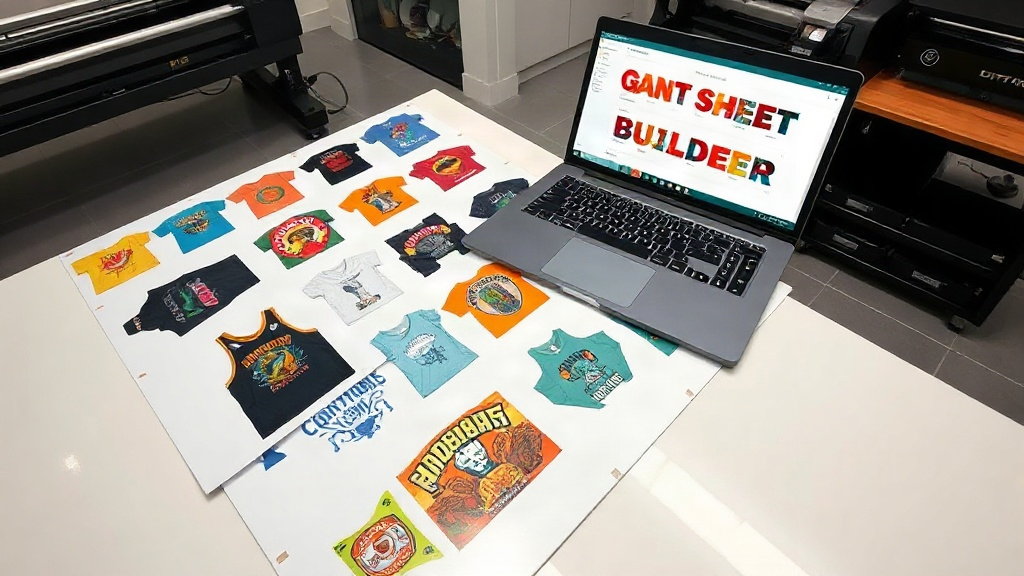
If you're in the custom apparel business, you've probably heard about DTF printing. It's a game-changer for transferring vibrant designs onto various fabrics. But are you getting the most out of your DTF printer? The secret lies in how you arrange your prints on each sheet. That's where a DTF gangsheet builder comes in. This tool can dramatically improve your efficiency, cut down on wasted material, and ultimately boost your bottom line. In this article, we'll dive deep into gang sheets, how to create them effectively, and why a builder is essential for your shop.
What Is a DTF Gangsheet?
A gang sheet is a single sheet of DTF film that contains multiple designs printed together. Instead of printing one design at a time, you arrange several designs on one large sheet, maximizing the use of the film. This approach saves time, reduces film waste, and lowers ink consumption. Think of it as carpooling for your prints: more designs share the same ride, cutting costs and increasing output.
Why Use a DTF Gangsheet Builder?
Manually arranging designs on a sheet can be tedious and error-prone. A DTF gangsheet builder automates the process, ensuring optimal placement and spacing. With a builder, you can:
- Save time by quickly generating layouts.
- Reduce material waste by fitting more designs per sheet.
- Increase production speed to meet tight deadlines.
- Minimize human error in design placement.
- Scale your business without hiring extra staff.
Whether you're a small startup or a large operation, a gang sheet builder can streamline your workflow and improve your profitability.
How to Create a Gang Sheet: Step-by-Step
Creating a gang sheet manually is possible, but using a builder makes it much easier. Here's a general process:
- Prepare your designs: Ensure each design is in a high-resolution PNG with transparent background. Check that colors are vibrant and lines are crisp.
- Choose your sheet size: Common sizes include 22x12, 22x24, and 22x36 inches. Select based on your printer's capabilities and your order volume.
- Arrange designs: Using a DTF gangsheet builder, import your designs and let the software automatically nest them. You can also manually adjust if needed.
- Add spacing: Leave at least 0.25 inches between designs to allow for cutting and to prevent color bleeding.
- Print and cure: Print the sheet on DTF film, apply hot melt powder, and cure it in an oven or with a heat press.
With a builder, steps 3 and 4 become a breeze, as the software handles the complex math of fitting everything together.
Key Features to Look for in a DTF Gangsheet Builder
Not all gang sheet builders are created equal. When choosing one, consider these features:
- Automatic nesting: The ability to automatically arrange designs to minimize waste.
- Custom sheet sizes: Support for various film dimensions.
- Drag-and-drop interface: User-friendly design for quick adjustments.
- Rotation and flipping: Tools to orient designs for optimal fit.
- Cost calculator: Estimates ink and film usage to help you price jobs.
- Integration: Compatibility with your printer and design software.
Some builders are standalone software, while others are web-based. Choose based on your workflow and budget.
Benefits of Using a DTF Gangsheet Builder
Time Savings
Manually arranging dozens of designs can take an hour or more. A builder reduces this to minutes, allowing you to focus on other tasks like marketing or customer service.
Cost Reduction
By maximizing film usage, you reduce waste. Film and ink are significant costs in DTF printing, so even a small reduction can add up. For example, if you save 10% on film, that's a direct boost to your profit margin.
Increased Production Capacity
With faster sheet creation, you can take on more orders without expanding your team. This scalability is crucial for growing businesses.
Consistency and Quality
Automated placement ensures designs are consistently spaced, reducing the risk of errors that could ruin a whole sheet.
Tips for Optimizing Your Gang Sheets
To get the most out of your DTF gangsheet builder, follow these best practices:
- Group similar sizes: Place designs of similar dimensions together to minimize gaps.
- Use high-resolution images: Low-res designs may appear pixelated when printed.
- Check orientation: Rotate designs to fill empty spaces.
- Leave adequate spacing: At least 0.25 inches between designs to facilitate cutting.
- Test print: Before running a full sheet, do a small test to ensure colors and alignment are correct.
- Keep a library: Save frequently used designs for quick access in future sheets.
Common Mistakes to Avoid
Even with a builder, some pitfalls can reduce efficiency:
- Overcrowding: Leaving too little space can cause designs to bleed or be difficult to cut.
- Ignoring printer margins: Most printers have unprintable areas; ensure designs stay within safe zones.
- Not updating software: Builders improve with updates; keep yours current for best results.
- Forgetting to mirror: DTF transfers require mirrored images; double-check before printing.
Frequently Asked Questions
What is the ideal spacing between designs on a gang sheet?
A minimum of 0.25 inches (6.35 mm) is recommended to allow for cutting and to prevent color bleeding during transfer. For intricate designs, increase to 0.5 inches.
Can I use a DTF gangsheet builder for other printing methods?
While designed for DTF, some builders can be adapted for DTG or screen printing, but the specific features like powder application are unique to DTF. It's best to use a builder tailored for DTF.
How do I calculate the cost per print when using gang sheets?
Divide the total cost of film, ink, and powder by the number of designs on the sheet. A good builder will provide an estimated cost per design. This helps you price your products competitively.
Is a DTF gangsheet builder worth the investment?
Absolutely. If you print more than a few designs daily, the time and material savings quickly outweigh the cost. Many builders are affordable and can pay for themselves within weeks.
What file formats work best with a gangsheet builder?
PNG with transparent background is the standard. Some builders also accept PDF, AI, or PSD files, but ensure they are high resolution (300 DPI) for best results.
Conclusion
Incorporating a DTF gangsheet builder into your printing workflow is a smart move for any apparel decorator. It saves time, reduces waste, and increases your capacity to take on more orders. By following the tips and best practices outlined here, you'll be well on your way to optimizing your DTF printing and boosting your profits. Remember, efficiency is key in this competitive market, and a gang sheet builder is your secret weapon.