
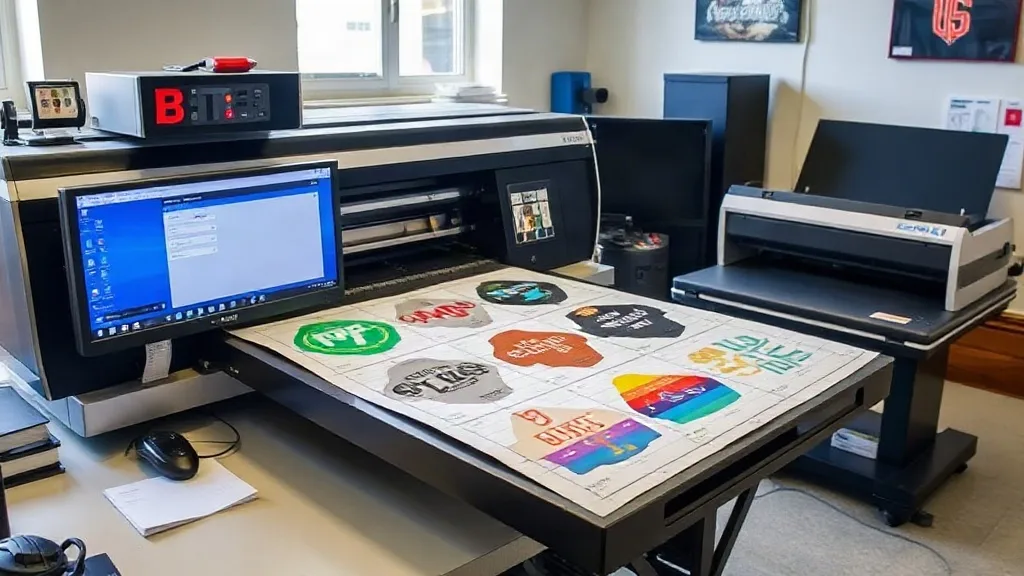
When a customer comes back for the fifth time asking for the same 24 shirts with the same logo on the left chest, you don't want to start from scratch. You want to pull up a file, hit print, and move on. That's where a DTF Gangsheet becomes more than just a cost-saving trick; it becomes your repeat-order workhorse. In this guide, we'll look at how to set up and use gangsheets specifically for recurring jobs, so you can stop reinventing the wheel and start shipping orders faster.
Why Repeat Orders Deserve Their Own Gangsheet Strategy
Most print shops treat every order as a new puzzle. They lay out images, nest them, and try to squeeze every inch of film. That works for one-offs, but when the same designs come back regularly, you're leaving money and time on the table. A repeat-order gangsheet is a template that you build once and reuse. It holds the exact layout for a standard order, so you don't have to redo the math each time. The result: less film waste, faster prepress, and consistent spacing that your heat press operator will thank you for.
Building a Reusable Gangsheet Template
Start by identifying which orders repeat. Pull your sales data for the last six months and look for designs that appear three or more times. For each, create a master gangsheet file that includes the exact quantity and arrangement you typically need. Save it with a clear name like "LeftChest_Logo_24pcs". Include bleed and spacing according to your printer's requirements. Once it's saved, you can duplicate it for similar orders and adjust only the quantity if needed.
Choosing the Right Film Size
Your film size should match your most common order volume. If you often print 24 pieces, a 22x24 inch sheet might be perfect. For larger runs, consider a 24x36 inch sheet. The goal is to minimize leftover space without going so large that you waste film on small orders. Keep a few standard sizes in your template library.
Nesting for Consistency and Speed
Nesting isn't just about saving space; it's about creating a predictable layout. When every repeat order looks the same on film, your press operator can work faster because they know exactly where each transfer is. Use a consistent orientation and spacing. Avoid rotating images unless necessary, as that can confuse the workflow.
How to Handle Quantity Changes Without Starting Over
Repeat orders rarely come in the exact same quantity. Maybe this time the customer wants 30 instead of 24. Instead of rebuilding the sheet, you can adjust your template. Most RIP software allows you to add or remove copies while maintaining the spacing. If you're using a gangsheet builder, simply increase the quantity and let it re-nest. The key is to have a base template that you can scale up or down without rethinking the entire layout.
Streamlining Prepress for Recurring Jobs
Prepress is where repeat orders can get bogged down. Create a checklist for each recurring design: file location, color profile, film size, and quantity. Store it with the template. When an order comes in, your prepress operator can pull the file, verify the checklist, and send it to print in minutes. This reduces errors and ensures that the fifth order looks exactly like the first.
Reducing Film Waste on Repeat Orders
Film waste adds up, especially on small orders. With a gangsheet template, you can optimize the layout once and reuse it, so you're not wasting film on trial and error. Also, consider combining multiple repeat designs onto one sheet if they use the same film type and settings. For example, if you have three customers who each order 10 pieces of different logos weekly, you can create a combined gangsheet that fills the sheet completely. This requires coordination but can significantly cut costs.
Training Your Team on Gangsheet Workflows
Your team needs to understand the system. Train everyone on how to find and use templates. Create a shared folder structure that's intuitive: by customer, by design, or by order frequency. Hold a short session to walk through the process of modifying a template for quantity changes and explain why consistency matters. When everyone follows the same workflow, repeat orders become a smooth, predictable part of your day.
Common Pitfalls and How to Avoid Them
One common mistake is over-optimizing a template for a specific order and then struggling to adapt it. Keep templates flexible. Another pitfall is neglecting to update templates when a design changes. Make it a rule: any design revision triggers a template update. Finally, don't assume all repeat orders are identical; always confirm with the customer that nothing has changed.
Frequently Asked Questions
How do I decide which orders should become gangsheet templates?
Look for orders that repeat at least three times within six months and have consistent design and quantity. If the quantity varies widely, you can still create a template but plan to adjust it each time.
Can I use the same gangsheet template for different film sizes?
Not directly, but you can scale the layout. It's better to create separate templates for each film size you commonly use. This avoids distortion and maintains proper spacing.
What's the best way to organize gangsheet files for a team?
Use a clear folder structure with descriptive names. Include a readme file with instructions. Cloud storage with version history is ideal so everyone accesses the latest version.
How often should I review and update my gangsheet templates?
Review them quarterly or whenever a design changes. Also, after any order where you had to make manual adjustments, update the template to reflect the new standard.